Plug.
Play.
Drive.

Charge your electric car anywhere in Albania, easily with the iCharge app. Find the nearest station, start charging with a QR code or NFC, and top up your balance at any moment.

The iCharge map with charging stations

Charging in three steps

  1. Find

    Open the map and pick the nearest station, with its price and availability.

  2. Scan or tap

    Scan the charger's QR code, or tap your phone on it with NFC.

  3. Charge and top up

    Follow your session and refill your balance by card, coupon or cash.

01

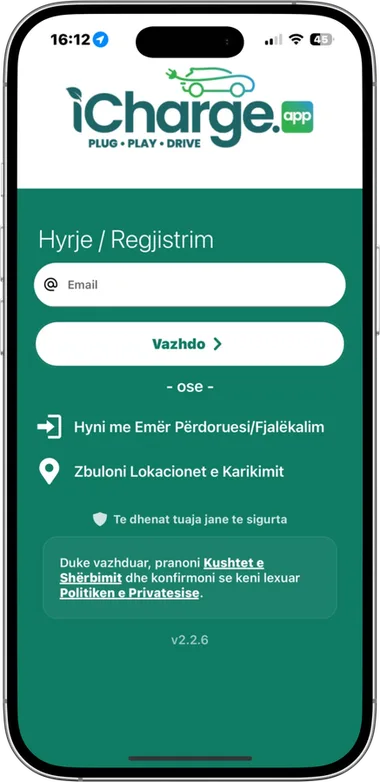
Sign in / Register

Sign in with your email. We send a one-time code to your inbox, so there is no password to remember.

With email
Enter your email, tap Continue and type the code you receive.
With a username
If you have one, you can also sign in with a username and password.
Explore locations
The sign-in screen also has a shortcut to browse charging locations.
Sign-in screen with email field and Continue button

Find a station

02

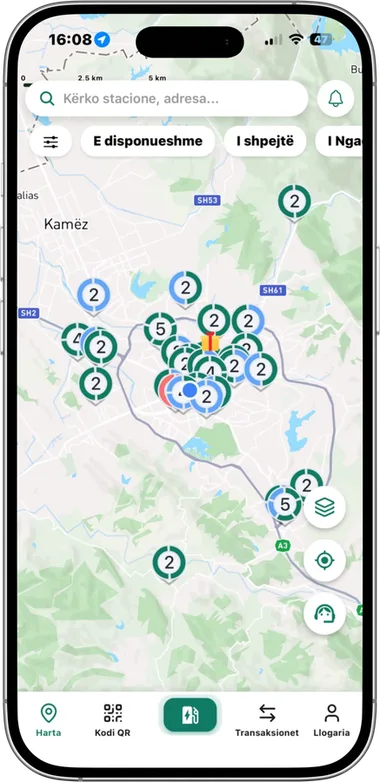
Interactive map

As soon as you open the app, the iCharge map shows every station.

Search
Use the bar at the top to search for where you want to go. You see the full route, or the exact location of the charger.
Side buttons
On the right you find a button to contact support, one that takes you to the nearest location and one that changes the map view.
Menu
Below the map you find Map, QR code, the green button, Transactions and Account: your data and charging in one place.
Interactive map with the search bar and bottom menu
03

Station details

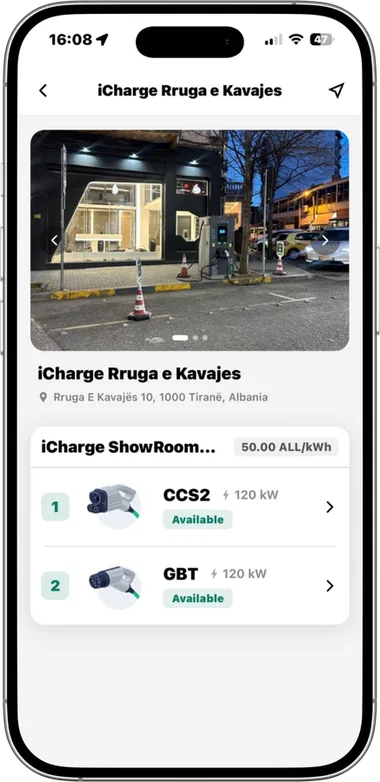
Tap a point on the map and see everything about the charger before you start.

Photos and address
Photos of the location and the full address of the station.
Price and availability
The price at the point, whether it is free or in use, and the charger power.
Connectors
Each connector shows its type (such as CCS2 or GBT), power in kW and status.
Navigation
A button takes you to the exact location through Google Maps or Apple Maps.
Details of the iCharge Rruga e Kavajës station with CCS2 and GBT connectors
04

Nearby stations

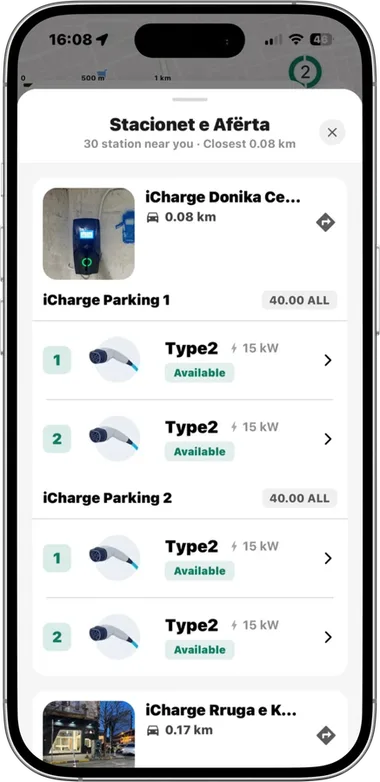
Tap the green button in the menu and see all the chargers closest to you.

List by distance
Stations are sorted by distance from you, and you see how many are nearby.
Everything at a glance
For each one you see the price, connector type, power and whether it is free.
Go straight there
The arrow next to each station takes you to the location.
List of nearby stations with distance and Type2 connectors

Charge

05

Charging with QR or NFC

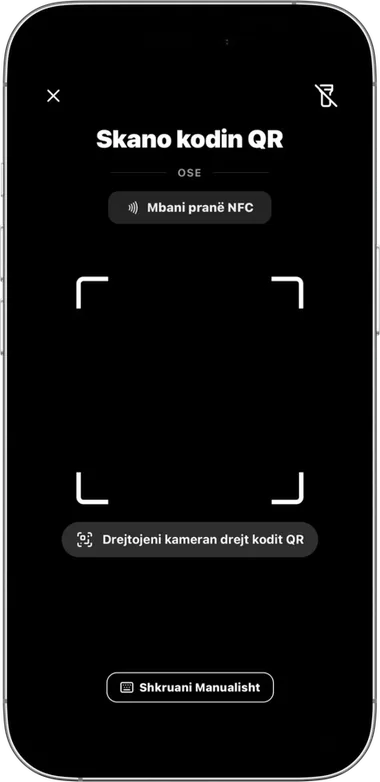
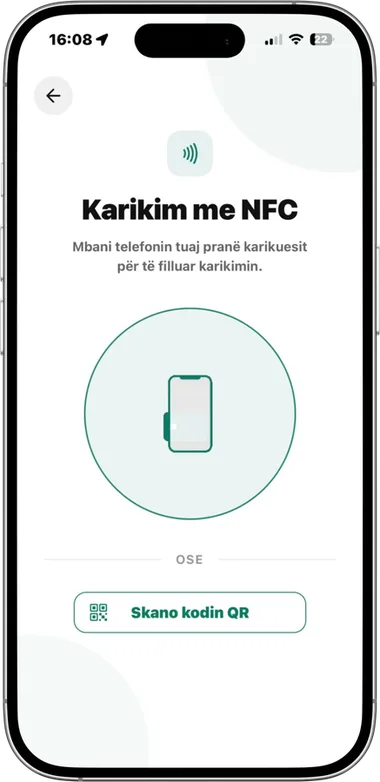
There are two ways to charge: scan the QR code, or tap your phone on the charger with NFC.

Scan the QR code
Point the camera at the charger QR code. If it does not scan, you can type the code manually.
Charge with NFC
Hold your phone near the charger to start charging.
Quick switch
Move from one screen to the other with a tap, without going back.
QR code scanning screen
QR code scan
NFC charging screen
NFC charging

Pay and manage

06

Transactions

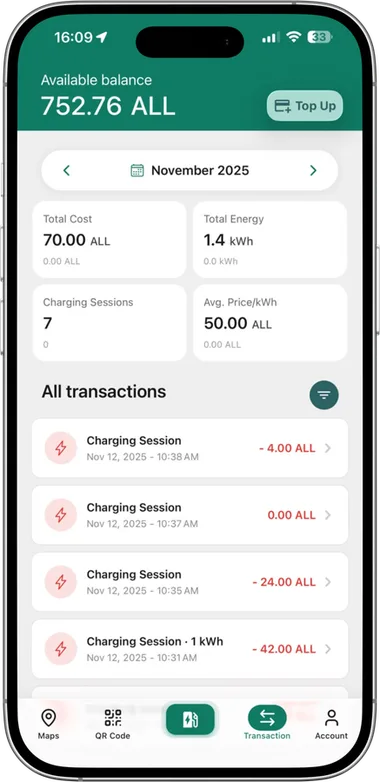
Under Transactions you find every deposit to your account and your past charging sessions.

Balance
Your account balance and a Top Up button to refill it instantly.
Monthly summary
Total cost, energy charged, number of sessions and average price per kWh.
All transactions
Every session with its date, time and amount, with a filter to find it faster.
Transactions screen with balance and monthly summary
07

Topping up your account

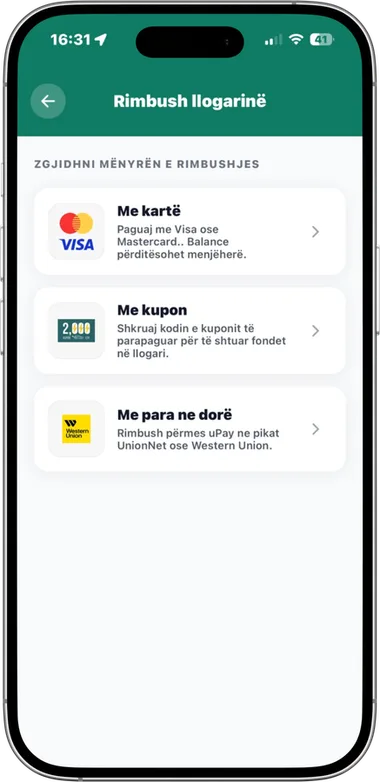
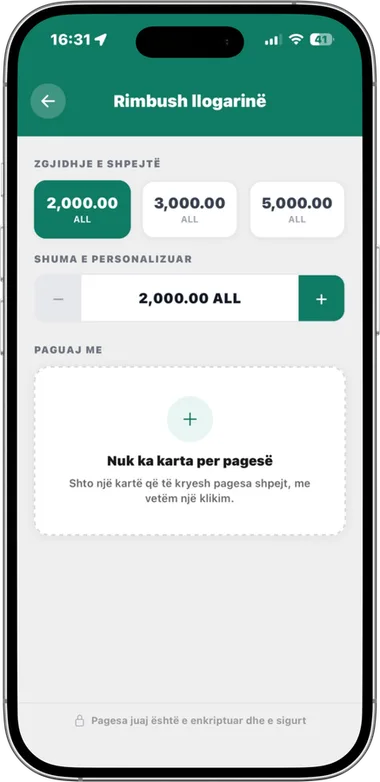
With the Top Up button you refill your account by card, with a coupon or with cash.

By card
Pay with Visa or Mastercard. Your balance updates immediately.
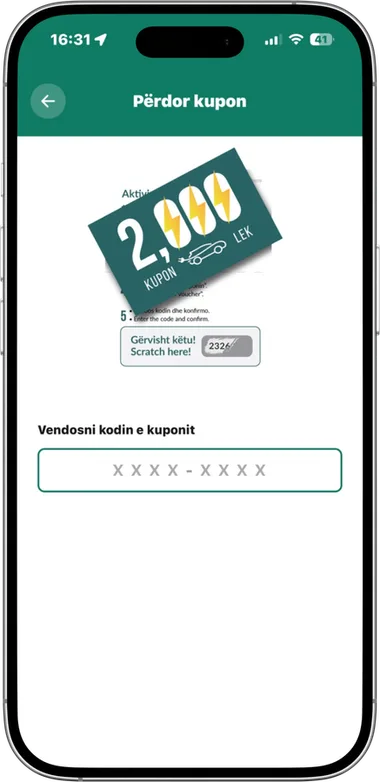
With a coupon
Enter the code of a prepaid coupon to add funds to your account.
With cash
Top up through uPay at UnionNet or Western Union points.
Any amount
Pick a quick amount, or enter your own. You can also save cards for simple payments.
Top-up methods: card, coupon, cash
Methods
Choosing the top-up amount
Amount
Coupon redemption screen
Coupon
08

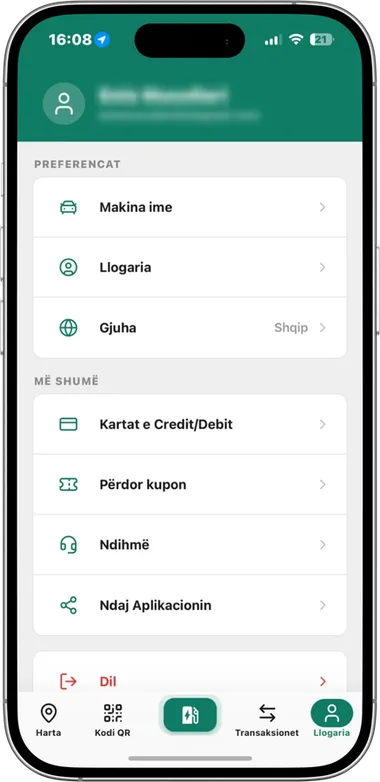
Account

Under Account you edit your details and manage your saved cards and your car details.

Preferences
My car, account details and the app language.
Cards and coupons
Your saved credit and debit cards, and the Use coupon option.
Help and sharing
Contact support right from the app and share the app with others.
Account screen with preferences and cards

iCharge in numbers

Network figures as shown on the official icharge.app website.

10K+Charging stations
95%User satisfaction
50%Shorter charging time
24/7Help center

Beyond the app

Charge beyond borders

With iCharge roaming you can also charge on partner networks across Europe, using the same account and the same app.

More about roaming
For business

iCharge Panel for managing chargers and stations, fleet management with real-time monitoring, reports and cost analytics, plus a white-label app with your own brand for hotels, venues and public infrastructure.

Contact us

Ready to charge?

Sign in with your email and find the nearest station in seconds.

Get iChargeApp StoreGoogle Play